 Case study · Home energy · Nigeria
The brief
Power in a Nigerian home comes from three places at once.
A Nugen system pairs solar panels, a battery and an inverter with the grid and the household's generator. The app answers the questions people ask every day: is the battery charging, how long will it last, is the grid on, and should the generator still be running? It also lets them rank their loads, so the air conditioning switches off long before the fridge does when the battery runs low.
I came in as the second Flutter engineer after the first screens were built, and took on everything behind them: the integration with Nugen's API, sign‑in, sessions, routing, live updates, alerts, statistics and schedule control.
Nugen chose the web for its first release, so the app had to work as well in a browser as on a phone, from one codebase.
The hard part
Sessions that hold, in a browser and on a phone.
People sign in with their phone number and a one‑time code, and the session lives in a cookie. A browser handles that cookie by itself; a phone app has to carry it on every request. The same Flutter code had to do both, without ever showing someone a login screen in the middle of checking their battery.
I built the session layer so every request checks its access first. When a session is about to expire, one refresh runs and every request waiting on it shares the result, instead of each firing its own refresh and racing. If the refresh fails, the app signs out cleanly, stops its live updates and returns to login.
On top of that sit the live parts: power, battery and grid status that keep themselves fresh and hold the last good reading if a refresh fails, and alerts like "turn off the generator" that disappear the moment you acknowledge them and come back if the server doesn't confirm.
The app
What's powering the home, how long the battery lasts, what it cost, and which loads stay on.
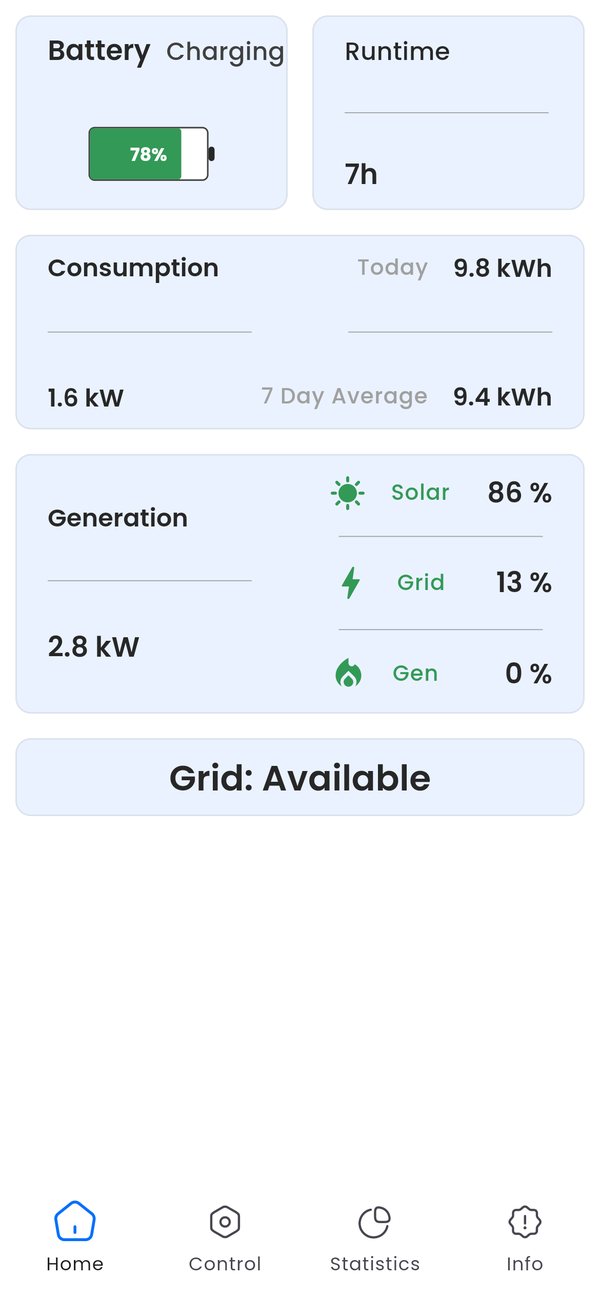
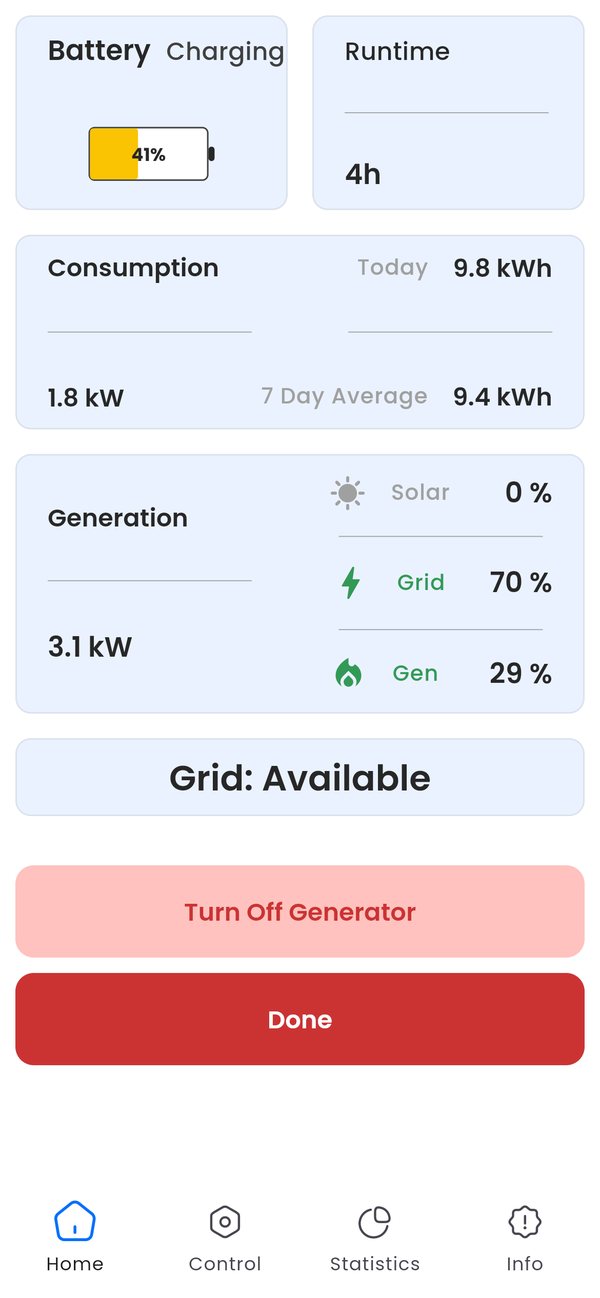
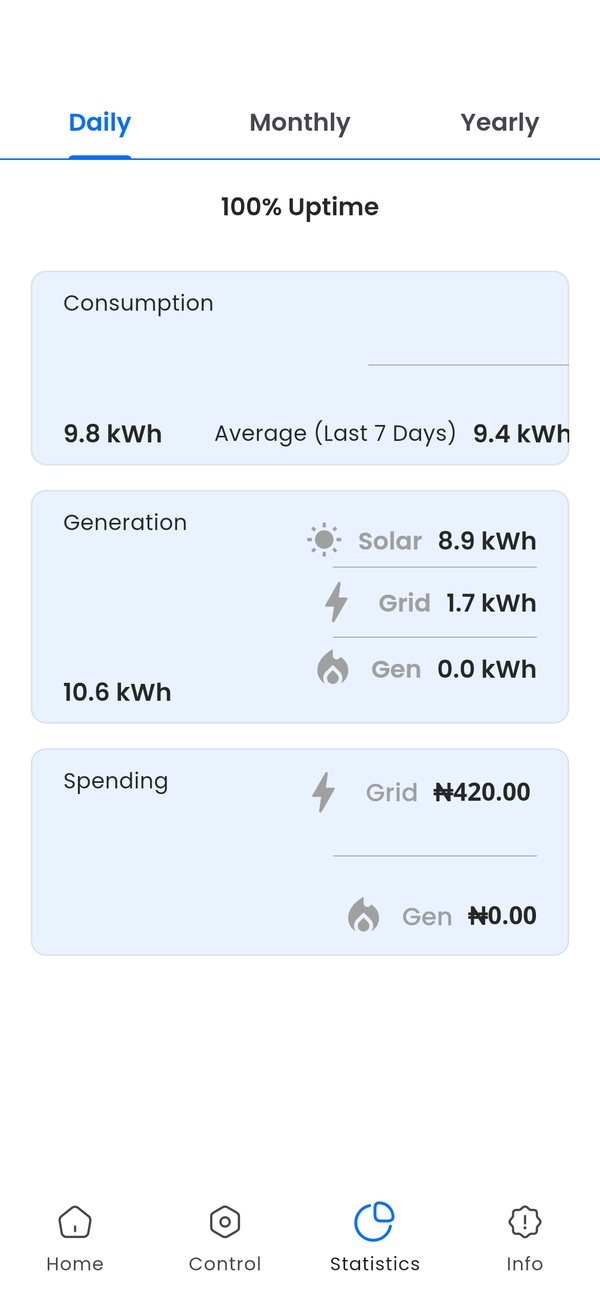
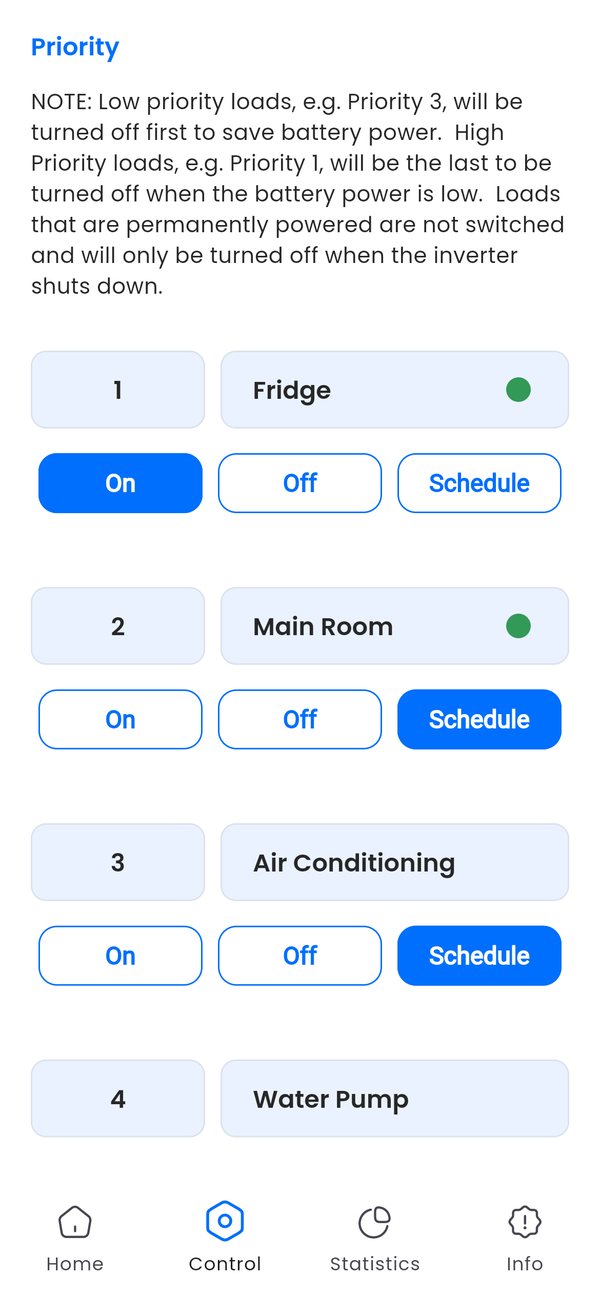
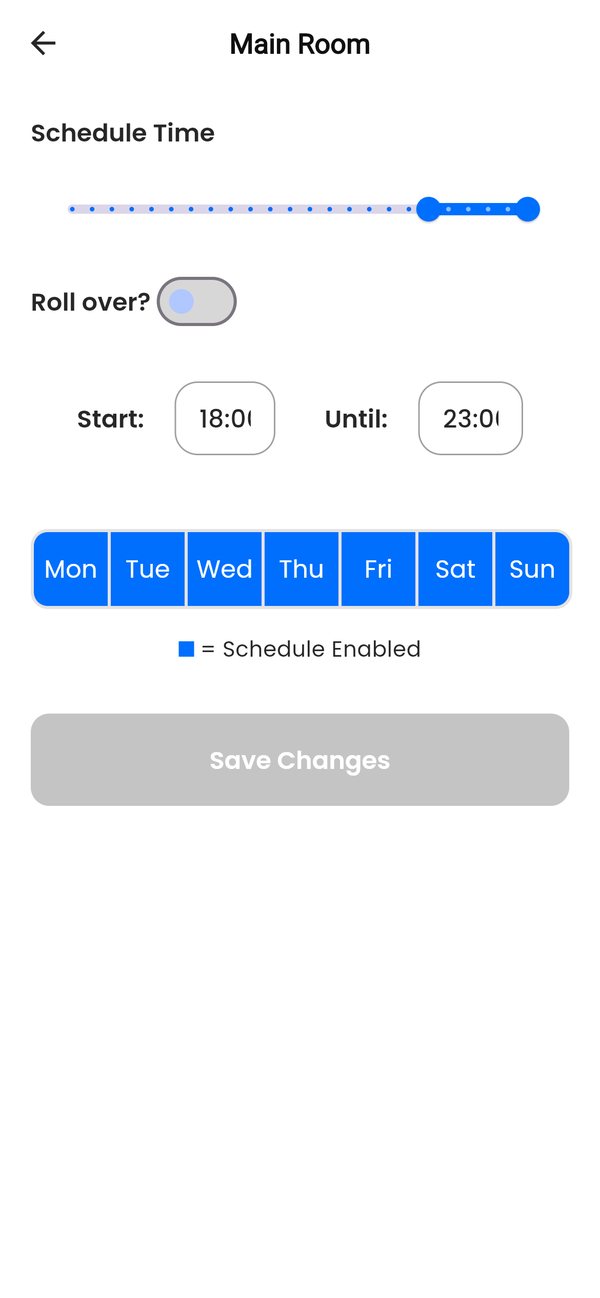
Screens captured from the app running against a mock API I built for this case study, so the readings are illustrative.
Where it stands
Web first, from one codebase.
Nugen's app was built web‑first for its initial release, set up for Firebase Hosting, with Android and iOS targets in the same Flutter project.